
Sync a Google Chrome profile
Ensure Google Chrome is open.
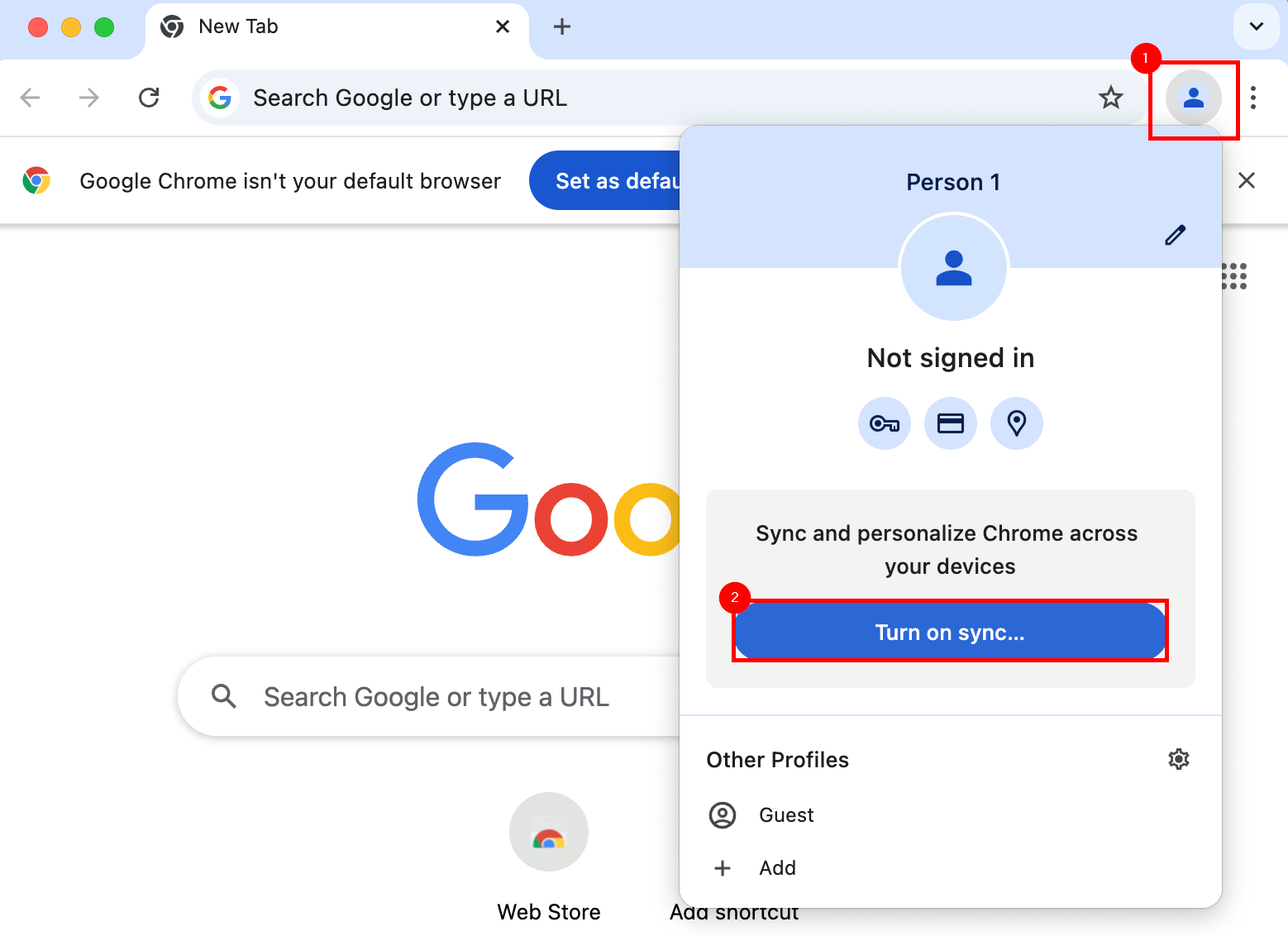
Select the Profile icon from the top left, then select Turn on sync...
An account may already be associated with a Chrome profile. If so, take note of the account used, and ensure it is actively synching with Google's services.
At the Sign in to Chrome prompt, enter a Google Account, and select Next.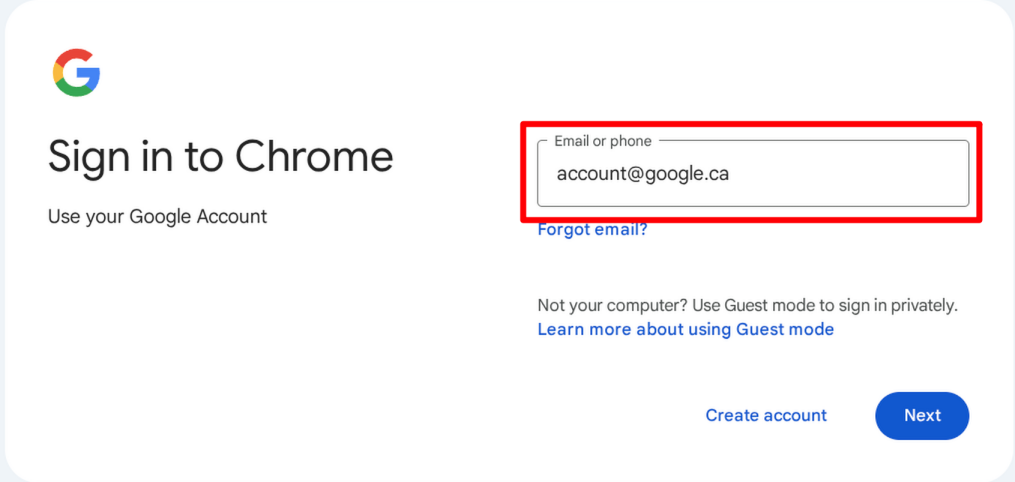
After successful login, the Enterprise Management dialogue will appear. Check the box for Add existing browsing data to managed profile, then select Continue.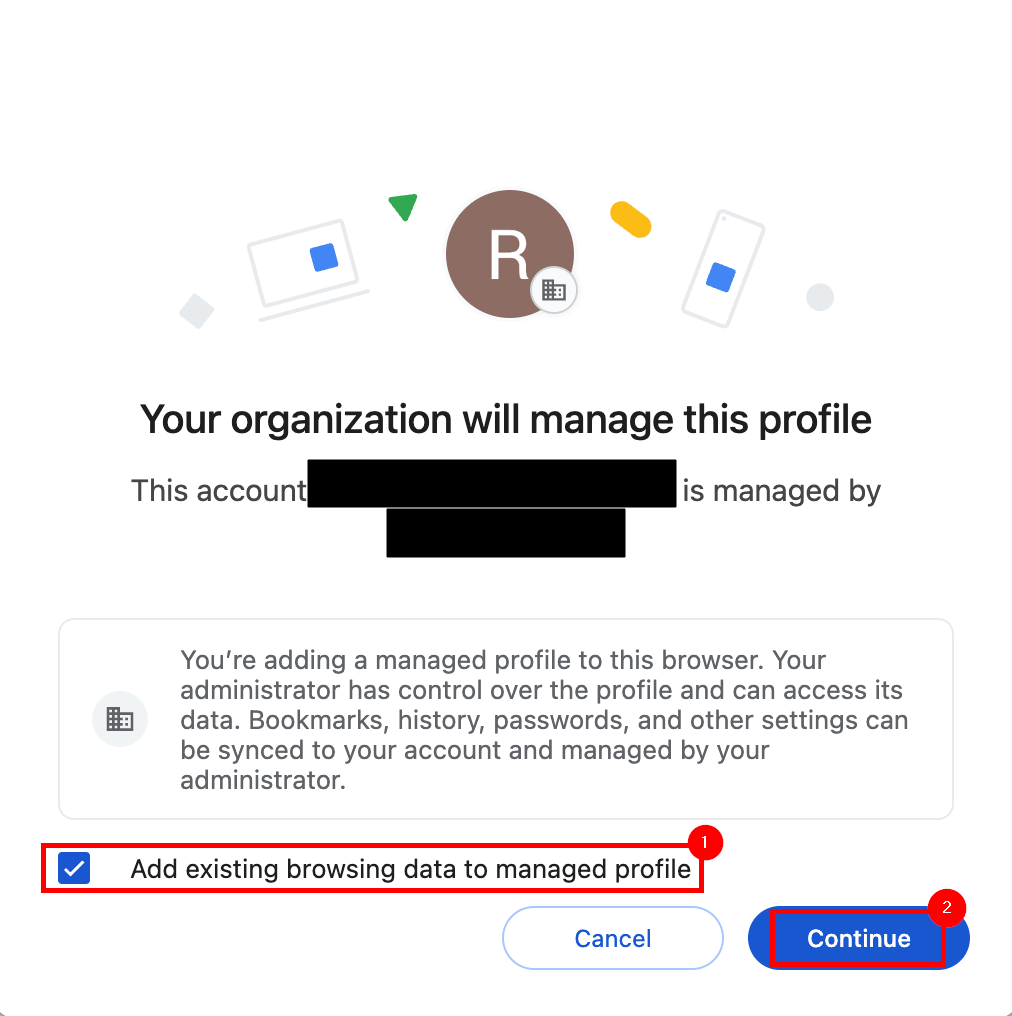
From the Turn on sync dialogue, select Yes, I'm in from the bottom right.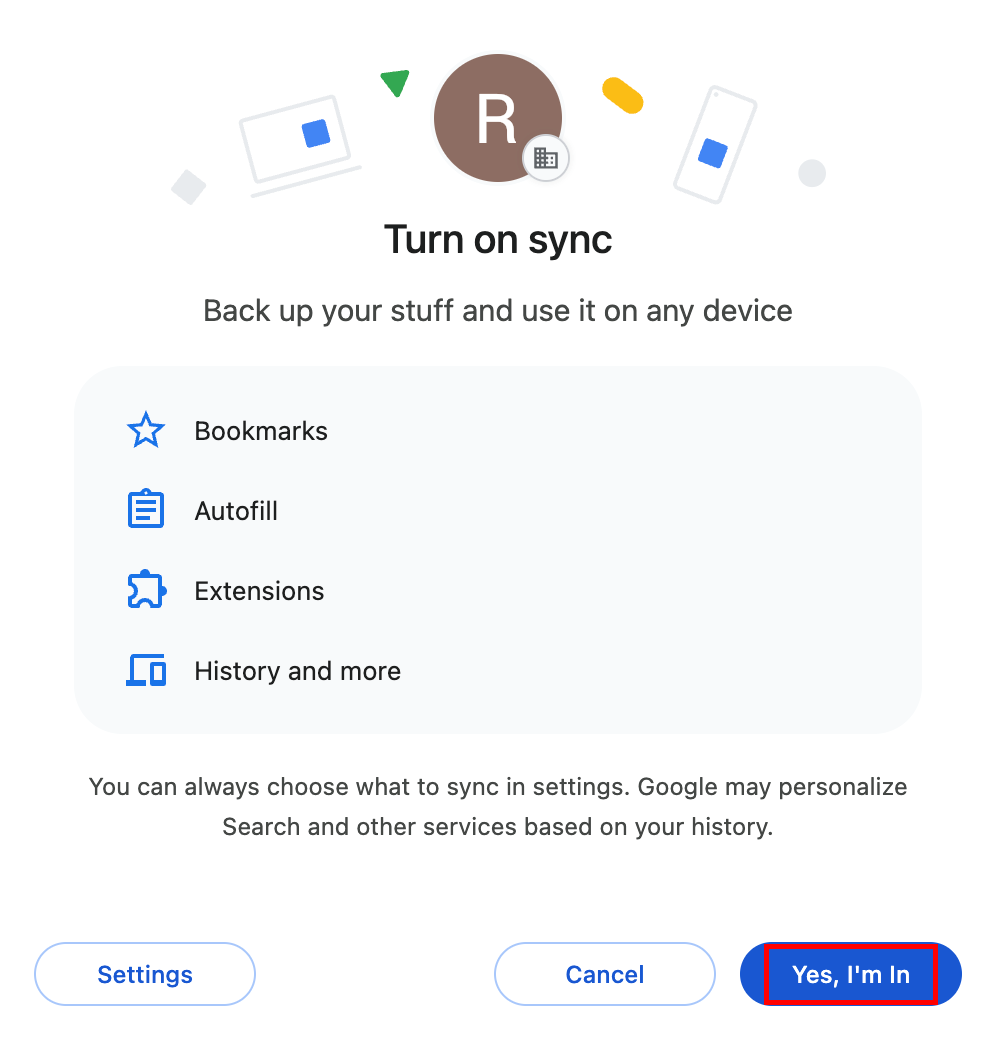
When complete, verify success by selecting the Profile button from the top right of Chrome once again, and ensure that Sync in on is displayed.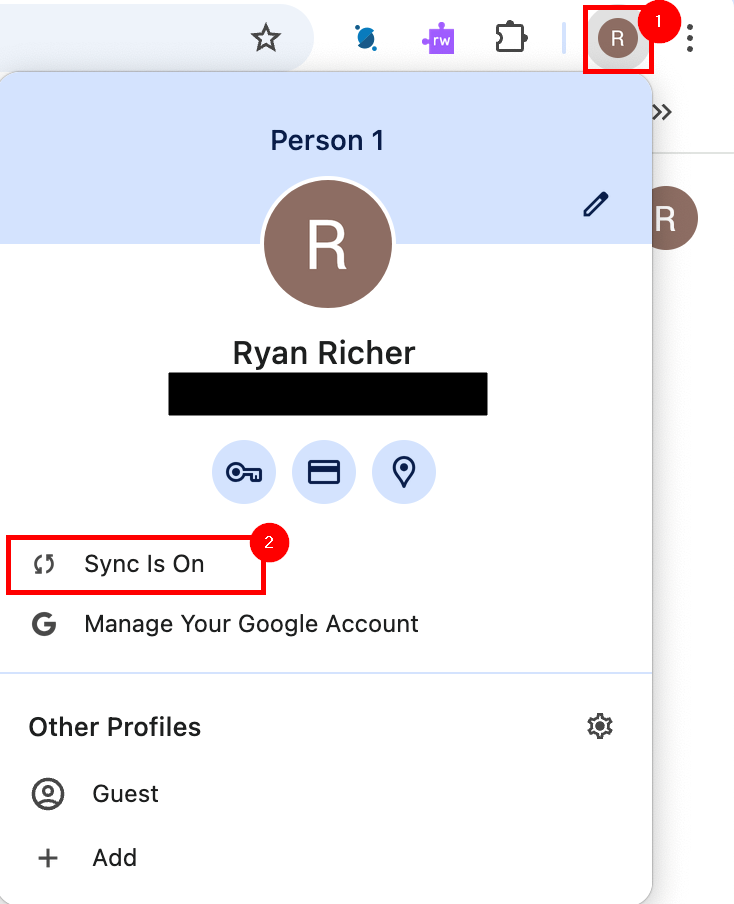
No comments to display
No comments to display