# Sync a Google Chrome profile

<span style="white-space: pre-wrap;">Ensure </span>**Google Chrome** is open.  
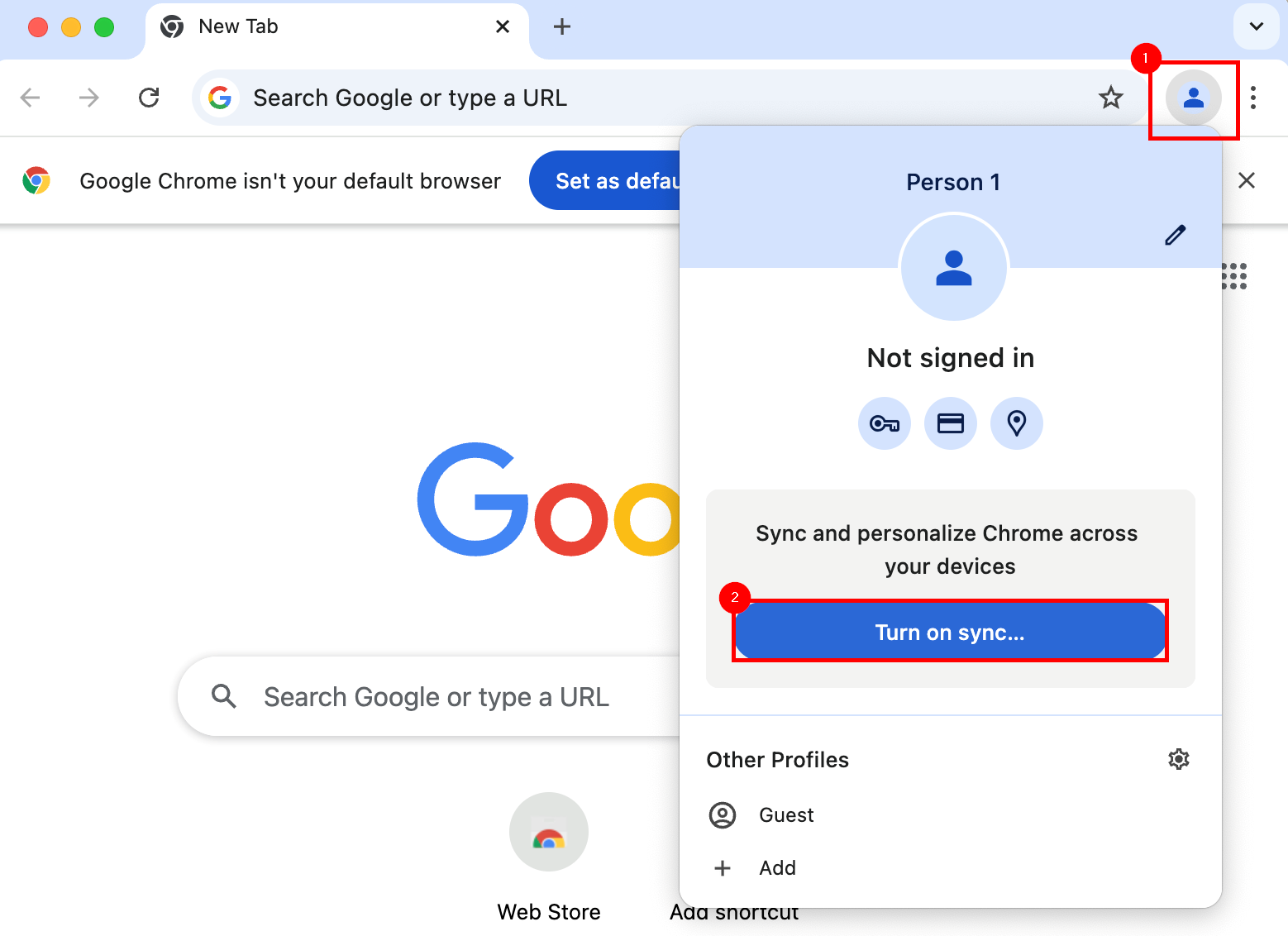
<span style="white-space: pre-wrap;">Select the </span>****Profile**** <span style="white-space: pre-wrap;">icon from the top left, then select </span>****Turn on sync...****

<p class="callout info"><span style="white-space: pre-wrap;">An account may already be associated with a </span>**Chrome** profile. If so, take note of the account used, and ensure it is actively synching with Google's services.</p>

[![image.png](https://richerkb.ca/uploads/images/gallery/2026-05/scaled-1680-/pDCoqU89jnSfdMY5-image.png)](https://richerkb.ca/uploads/images/gallery/2026-05/pDCoqU89jnSfdMY5-image.png)

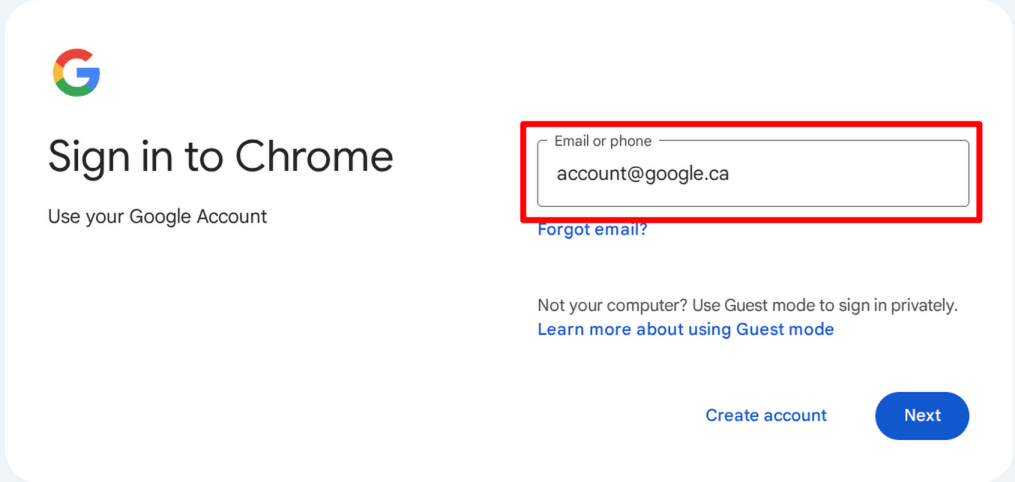
<span style="white-space: pre-wrap;">At the </span>**Sign in to Chrome**<span style="white-space: pre-wrap;"> prompt, enter a </span>****Google Account****<span style="white-space: pre-wrap;">, and select </span>****Next****.[![image.png](https://richerkb.ca/uploads/images/gallery/2026-05/scaled-1680-/8niDIwUiipNKCOCp-image.png)](https://richerkb.ca/uploads/images/gallery/2026-05/8niDIwUiipNKCOCp-image.png)

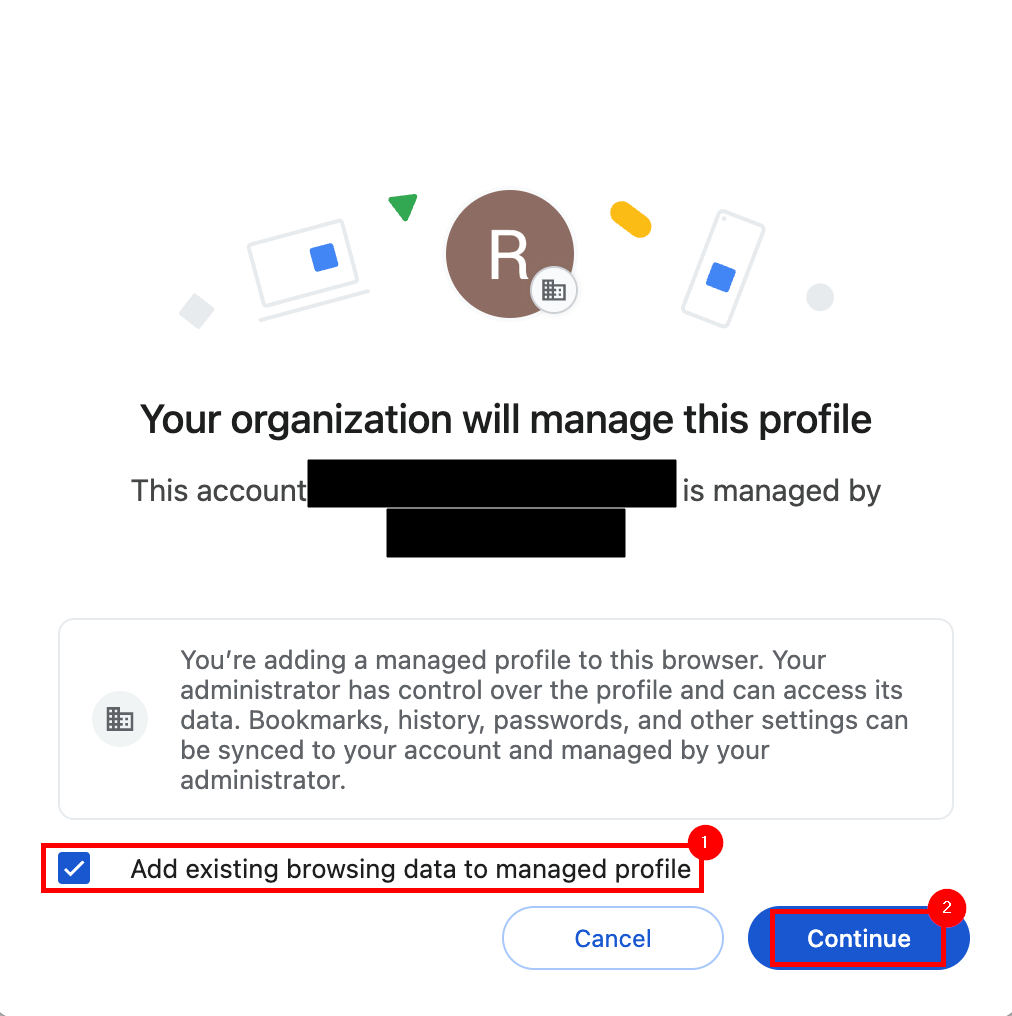
<span style="white-space: pre-wrap;">After successful login, the </span>**Enterprise Management** <span style="white-space: pre-wrap;">dialogue will appear. </span>****Check the box****<span style="white-space: pre-wrap;"> for </span>**Add existing browsing data to managed profile**<span style="white-space: pre-wrap;">, then select </span>****Continue****.  
[![google 1.png](https://richerkb.ca/uploads/images/gallery/2026-05/scaled-1680-/hxJSW99wMQ0vMAez-google-1.png)](https://richerkb.ca/uploads/images/gallery/2026-05/hxJSW99wMQ0vMAez-google-1.png)

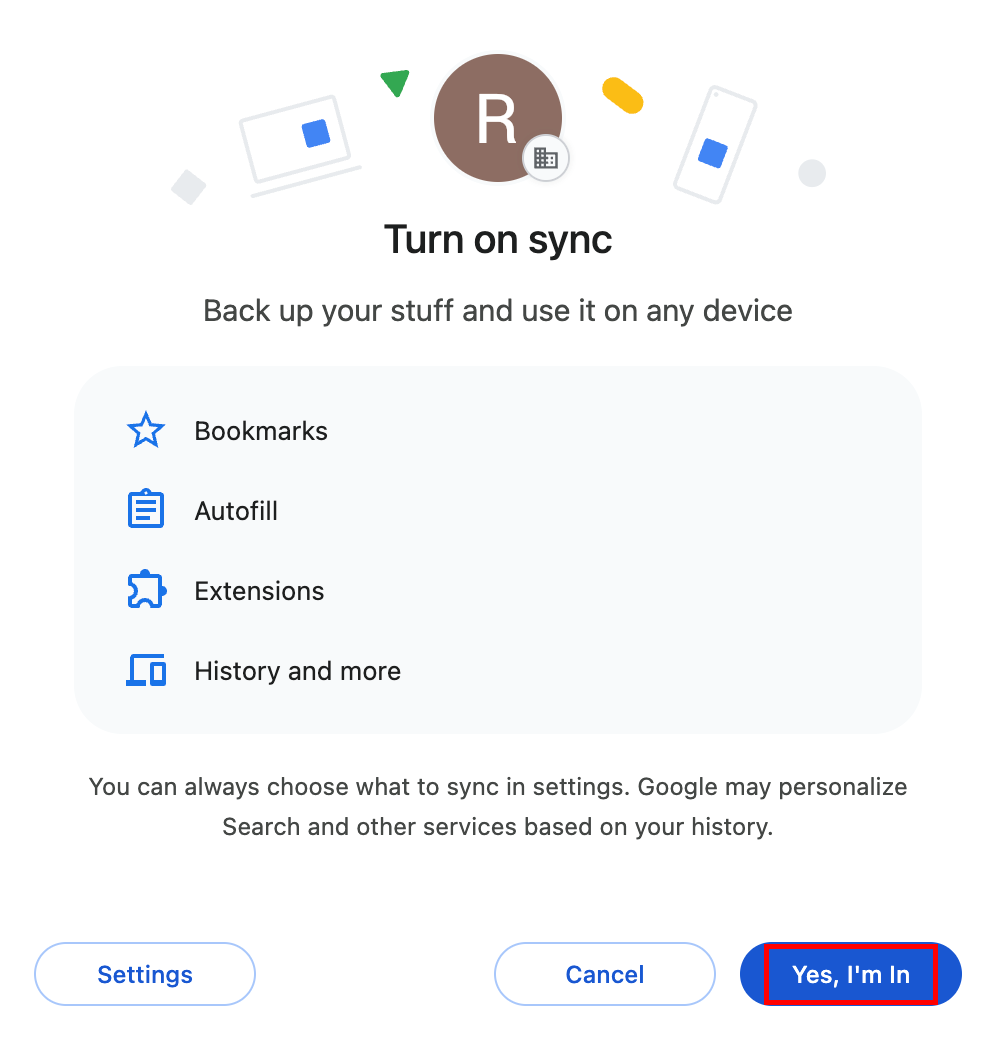
<span style="white-space: pre-wrap;">From the </span>**Turn on sync** <span style="white-space: pre-wrap;">dialogue, select </span>****Yes, I'm in**** from the bottom right.  
[![image.png](https://richerkb.ca/uploads/images/gallery/2026-05/scaled-1680-/kIcb1denHdtscTmK-image.png)](https://richerkb.ca/uploads/images/gallery/2026-05/kIcb1denHdtscTmK-image.png)
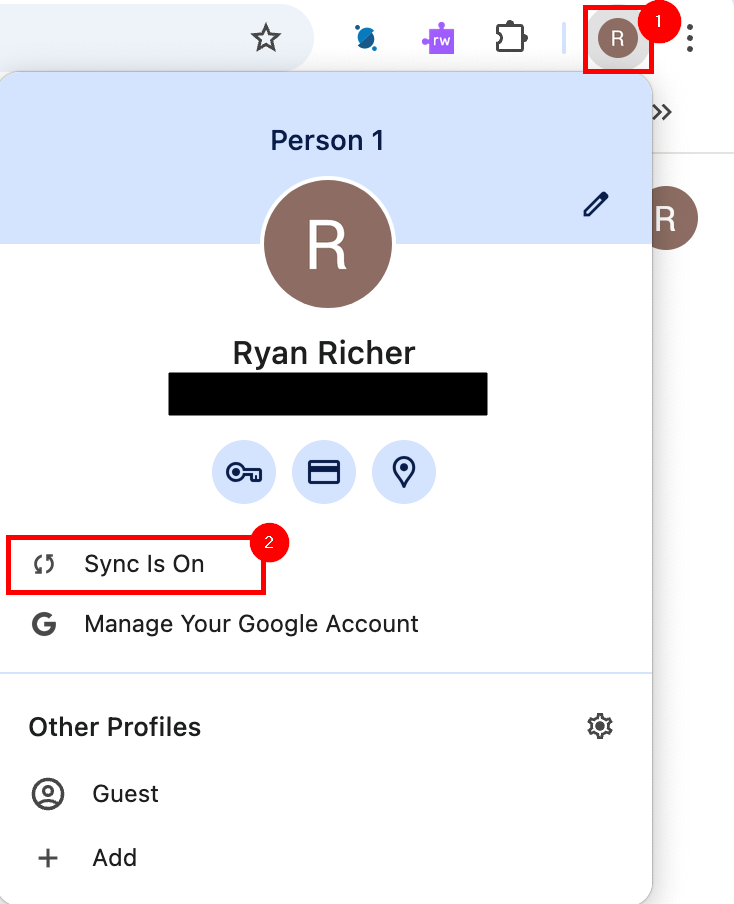
<span style="white-space: pre-wrap;">When complete, verify success by selecting the </span>****Profile**** <span style="white-space: pre-wrap;">button from the top right of </span>**Chrome** <span style="white-space: pre-wrap;">once again, and ensure that </span>****Sync in on**** is displayed.  
[![google 2.png](https://richerkb.ca/uploads/images/gallery/2026-05/scaled-1680-/njQOk2xktHXbT0nB-google-2.png)](https://richerkb.ca/uploads/images/gallery/2026-05/njQOk2xktHXbT0nB-google-2.png)